Manage your IP infrastructure by using ST 2110-22 JPEG XS to carry multiple UHD streams, saving bandwidth across the network.
What is special about JPEG XS?
How does PRISM handle JPEG XS?
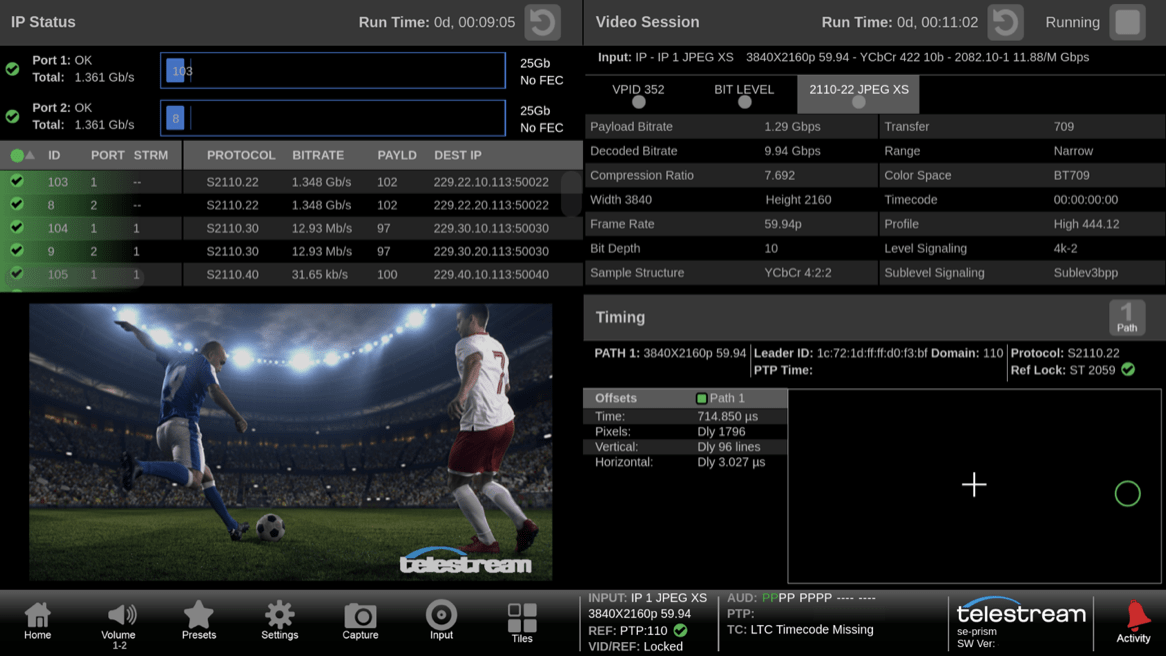
UHD ST 2110-22 (JPEG XS) stream decoded on PRISM with Video Session display shown syntax of signal.
Flexibility to monitor Hybrid SDI and IP facilities requires the ability to compare these formats when troubleshooting issues. PRISM Multi Input feature now supports multiple formats for SDI, ST 2110-20 and ST 2110-22.
More flexibility with the new PRISM MULTI option
The PRISM MULTI option supports simultaneous monitoring of up to four inputs. This is ideal for monitoring multiple camera inputs in a truck or having the ability to compare different video sources such as HDR (High Dynamic Range) or SDR (Standard Dynamic Range) or between different formats including UHD and HD. Version 4.3 enhances this functionality with support for different formats between SDI, ST 2110-20 and ST 2110-22.
By providing greater flexibility in hybrid SDI and IP environments, operators and engineers can compare the conversion of their SDI signals to IP gateway streams. Alternatively, they can compare ST 2110-20 streams to ST 2110-22 (JPEG XS) streams. This provides greater flexibility in being able to compare signals across the facility and can aid in troubleshooting issues between formats and standards.
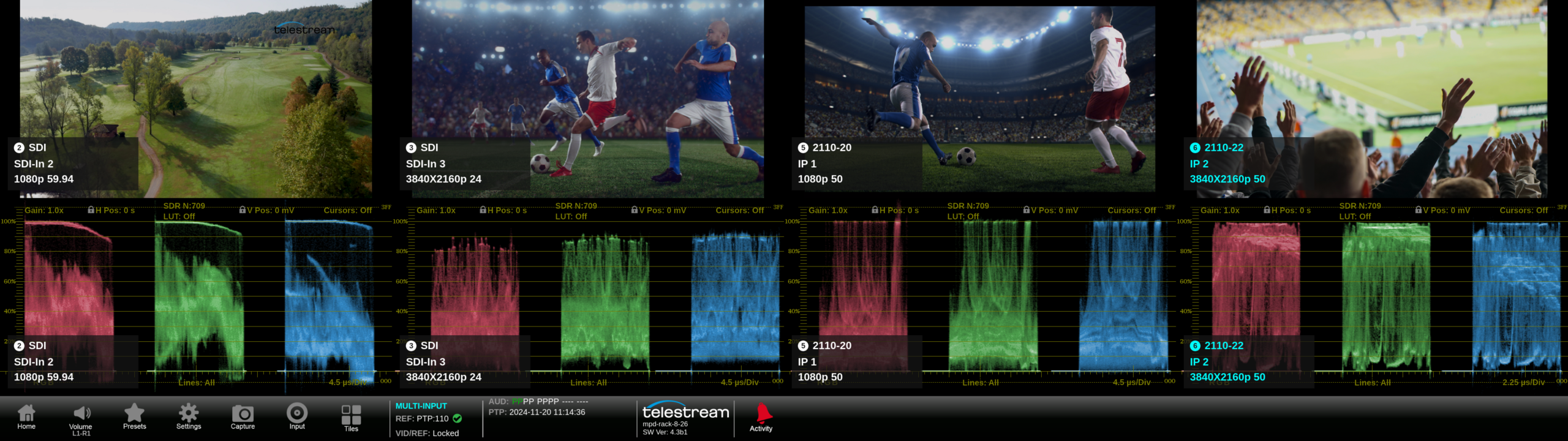
Multiple inputs shown on MPD in multiple formats, SDI, ST 2110-20 and ST 2110-22.
For remote production with multi-input and JPEG XS decoding, an operator using PRISM can compare up to four UHD ST 2110-22 streams allowing them to monitor these signals simultaneously with the variety of applications available in the instrument.
Expanded CIE Support In PRISM 4.3
We’ve also expanded the capabilities of the CIE display within PRISM with the new patented Luma Qualified CIE feature. Now operators, editors or colorists can qualify the CIE display based on the luma level. The user simply selects a luma range to isolate this region for the specific color components. By enabling Luma Qualified CIE, only this range of luma values is shown within the CIE display, helping users isolate specific color components within this luma range to make easier adjustments and to keep the signal within gamut.
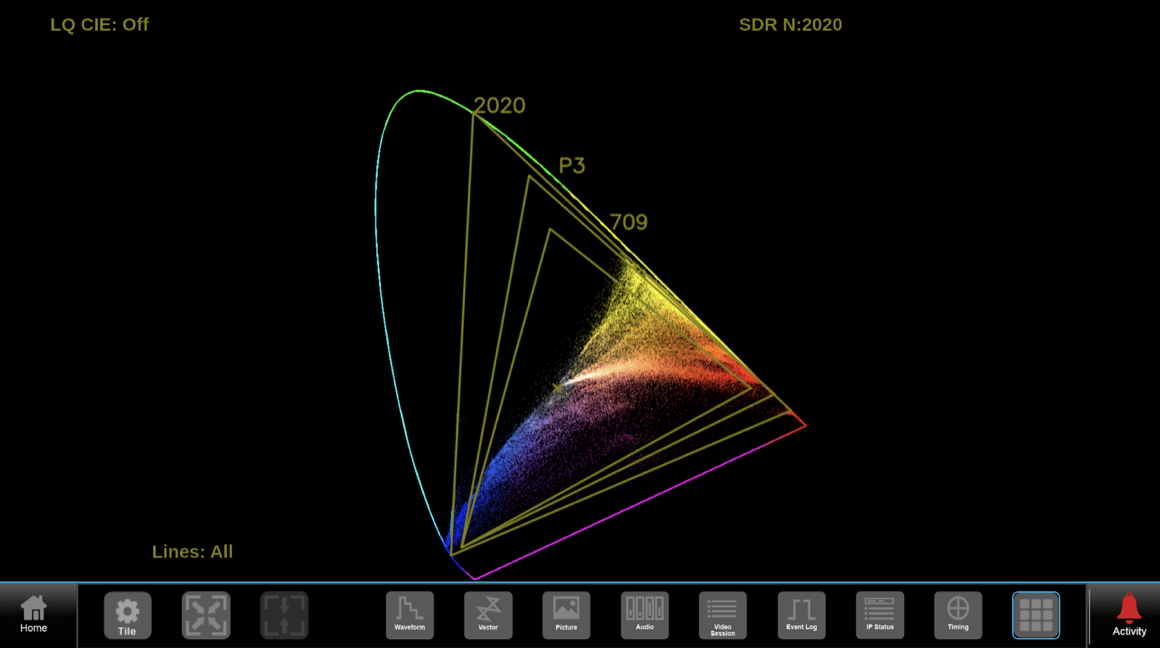
Luma Qualified CIE Off showing the full trace in the display.
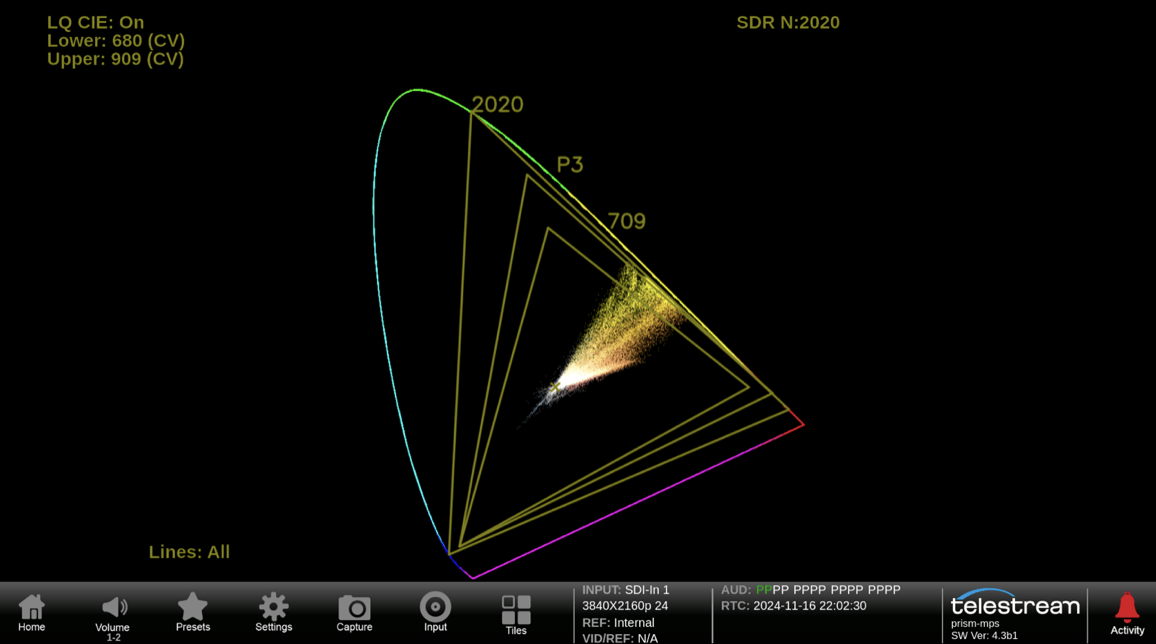
Luma Qualified CIE On showing the luma range between code value 680 to 909 isolating the yellow colored components of the image.
Source: By telestream (2025)
Read the original article on telestream